API Proxy documentation tab
Use the Documentation tab to specify API metadata exposed upon deployment of the API Proxy component.
To learn more about a field on the API Proxy Configuration - Documentation tab, click the (i) information icon next to it.
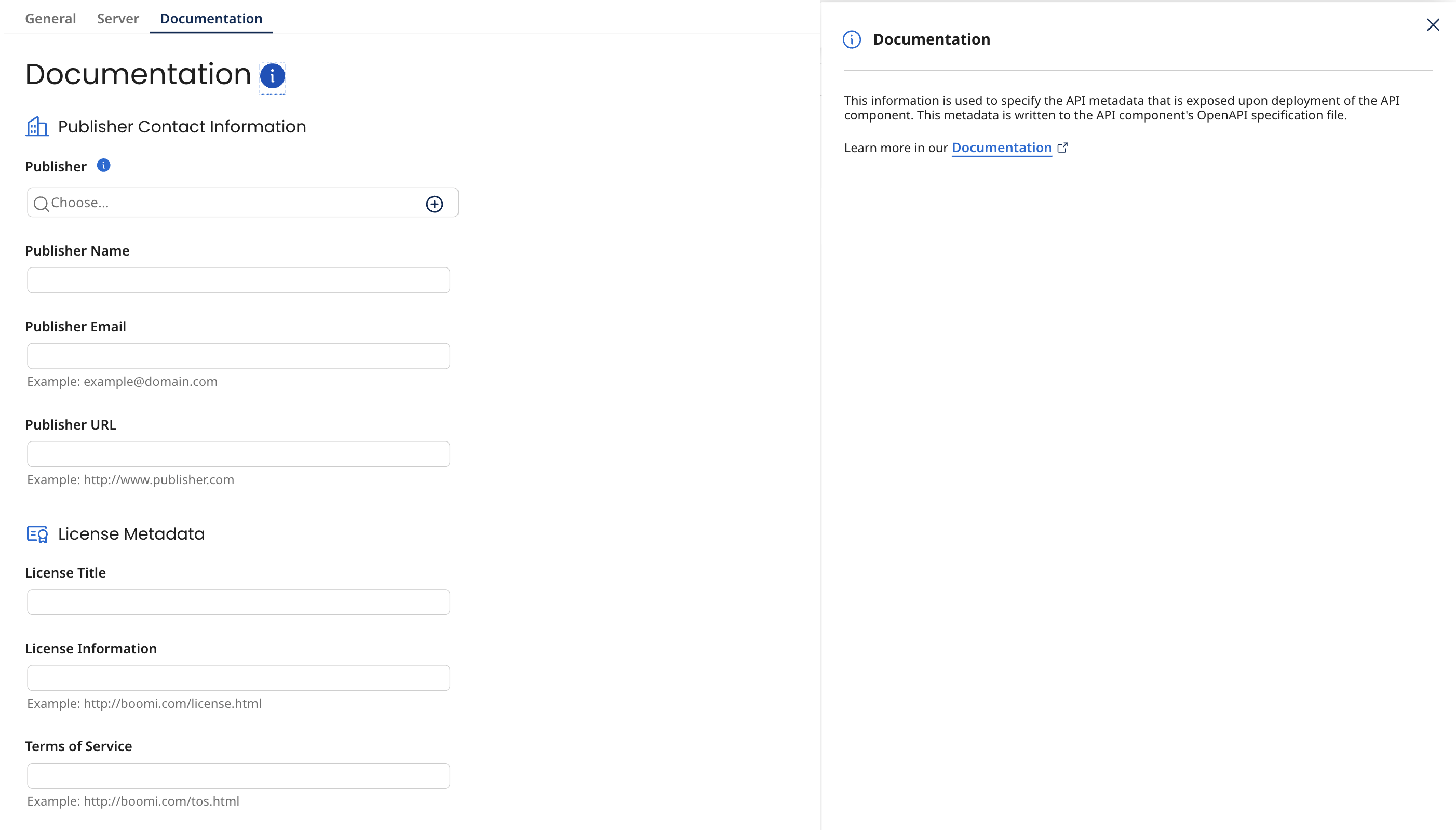
If you import an OpenAPI specification file into the component, the component automatically populates settings on this tab with the value of fields selected for importing as follows:
-
Publisher Name is set to the value of the CONTACT_NAME field.
-
Publisher Email is set to the value of the CONTACT_EMAIL field.
-
Publisher URL is set to the value of the CONTACT_URL field.
-
License Title is set to the value of the LICENSE_NAME field.
-
License Information is set to the value of the LICENSE_URL field.
-
Terms of Service is set to the value of the TERMS_OF_SERVICE field.
